
Training Gym
"# Training Gym\n\nModal Training Gym is an open-source Python SDK for RL post-training on [Modal](https://modal.com).\n\nThe library takes care of infrastructure concerns such as cluster topology, Ray/NCCL bring-up, volume mounts, checkpointing, and serving for eval and rollouts, so you (or your agent!) can focus on training models.\n\nTo get started, you can go through the [Quickstart](#quickstart) section below, or paste the prompt below into your favorite agent:\n\n```txt\nInstall the `training-gym` library. Then, install the skill bundle into the local project with `training-gym skills install`. Finally, tell the user that they can ask you to do something like: \"Walk through tutorials/rl_basics.py and train Qwen3.5-4B to write 5-7-5 haikus from statworx/haiku.\"\n```\n\n## Quickstart\n\nRequirements:\n\n- Python 3.12\n\nInstall the package directly:\n\n```bash\nuv pip install -q git+https://github.com/modal-projects/training-gym.git@main\n```\n\nOr pin it in `pyproject.toml`:\n\n```toml\ntraining-gym = { git = \"https://github.com/modal-projects/training-gym.git\", branch = \"main\" }\n```\n\nAuthenticate with Modal:\n\n```bash\nmodal setup\n```\n\nSet up the [dashboard](https://gym.modal.dev/guides/dashboard):\n\n```bash\ntraining-gym setup\n```\n\n<div class=\"tg-dashboard-previews\">\n <span>\n <img src=\"/homepage.gif\" alt=\"Training runs list in the Training Gym dashboard\" width=\"100%\" />\n </span>\n <span>\n <img src=\"/longrun.gif\" alt=\"Long-running training run details in the Training Gym dashboard\" width=\"100%\" />\n </span>\n</div>\n\nAnd empower your agents with the Gym's skill bundle:\n\n```bash\ntraining-gym skills install\n```\n\nThen, it's as easy as:\n\n<!-- BEGIN QUICKSTART -->\n```python\nimport re\n\nfrom modal_training_gym import (\n HuggingFaceDataset,\n Qwen3_5_4B,\n Qwen3_5_4B_Recipe,\n TrainConfig,\n)\n\nmodel = Qwen3_5_4B()\n\n\nasync def gsm8k_rm(args, sample, **kwargs) -> float:\n text = model.parse_response(sample.response or \"\").content\n boxed = re.findall(r\"\\\\boxed\\{([^}]+)\\}\", text)\n pred = boxed[-1] if boxed else (re.findall(r\"-?[\\d,]+(?:\\.\\d+)?\", text) or [\"\"])[-1]\n try:\n return float(float(pred.replace(\",\", \"\")) == float(sample.label))\n except ValueError:\n return 0.0\n\n\nconfig = TrainConfig(\n model=model,\n dataset=HuggingFaceDataset(\n hf_repo=\"skrishna/gsm8k_only_answer\",\n hf_split=\"train[:120]\",\n input_column=\"text\",\n output_column=\"label\",\n input_format=\"text\",\n ),\n recipe=Qwen3_5_4B_Recipe(\n custom_rm_function=gsm8k_rm,\n ),\n)\nrun = config.launch()\nprint(run.training_run_id)\n```\n<!-- END QUICKSTART -->\n\nFor a step-by-step walkthrough, see the [Getting started tutorial](https://gym.modal.dev/tutorials/rl_basics).\n\n## Supported models\n\n<!-- BEGIN MODELS LIST -->\n<!-- Auto-generated by scripts/generate_models_table.py from the recipe registries in modal_training_gym/train_recipes/*/__init__.py. -->\n\n| Family | Models |\n|---|---|\n| DeepSeek | <ul><li>[DeepSeek-V4.1-Flash](https://huggingface.co/deepseek-ai/DeepSeek-V4.1-Flash)</li></ul> |\n| GLM | <ul><li>[GLM-4.7](https://huggingface.co/zai-org/GLM-4.7)</li></ul> |\n| Gemma | <ul><li>[gemma-4-26B-A4B-it](https://huggingface.co/google/gemma-4-26B-A4B-it)</li></ul> |\n| Inkling | <ul><li>[Inkling-Small](https://huggingface.co/thinkingmachines/Inkling-Small)</li></ul> |\n| Moonlight | <ul><li>[Moonlight-16B-A3B-Instruct](https://huggingface.co/moonshotai/Moonlight-16B-A3B-Instruct)</li></ul> |\n| Qwen3 | <ul><li>[Qwen3-0.6B](https://huggingface.co/Qwen/Qwen3-0.6B)</li><li>[Qwen3-1.7B](https://huggingface.co/Qwen/Qwen3-1.7B)</li><li>[Qwen3-4B](https://huggingface.co/Qwen/Qwen3-4B)</li><li>[Qwen3-8B](https://huggingface.co/Qwen/Qwen3-8B)</li><li>[Qwen3-ASR-1.7B](https://huggingface.co/Qwen/Qwen3-ASR-1.7B)</li><li>[Qwen3-VL-8B-Instruct](https://huggingface.co/Qwen/Qwen3-VL-8B-Instruct)</li></ul> |\n| Qwen3.5 | <ul><li>[Qwen3.5-0.8B](https://huggingface.co/Qwen/Qwen3.5-0.8B)</li><li>[Qwen3.5-2B](https://huggingface.co/Qwen/Qwen3.5-2B)</li><li>[Qwen3.5-4B](https://huggingface.co/Qwen/Qwen3.5-4B)</li><li>[Qwen3.5-9B](https://huggingface.co/Qwen/Qwen3.5-9B)</li></ul> |\n| Qwen3.6 | <ul><li>[Qwen3.6-27B](https://huggingface.co/Qwen/Qwen3.6-27B)</li><li>[Qwen3.6-35B-A3B](https://huggingface.co/Qwen/Qwen3.6-35B-A3B)</li></ul> |\n| Qwen3.8 | <ul><li>[Qwen3.8-27B](https://huggingface.co/Qwen/Qwen3.8-27B)</li></ul> |\n<!-- END MODELS LIST -->\n"
Modal Training Gym is an open-source Python SDK for RL post-training on Modal.
The library takes care of infrastructure concerns such as cluster topology, Ray/NCCL bring-up, volume mounts, checkpointing, and serving for eval and rollouts, so you (or your agent!) can focus on training models.
To get started, you can go through the Quickstart section below, or paste the prompt below into your favorite agent:
Install the `training-gym` library. Then, install the skill bundle into the local project with `training-gym skills install`. Finally, tell the user that they can ask you to do something like: "Walk through tutorials/rl_basics.py and train Qwen3.5-4B to write 5-7-5 haikus from statworx/haiku."Quickstart
Section titled “Quickstart”Requirements:
- Python 3.12
Install the package directly:
uv pip install -q git+https://github.com/modal-projects/training-gym.git@mainOr pin it in pyproject.toml:
training-gym = { git = "https://github.com/modal-projects/training-gym.git", branch = "main" }Authenticate with Modal:
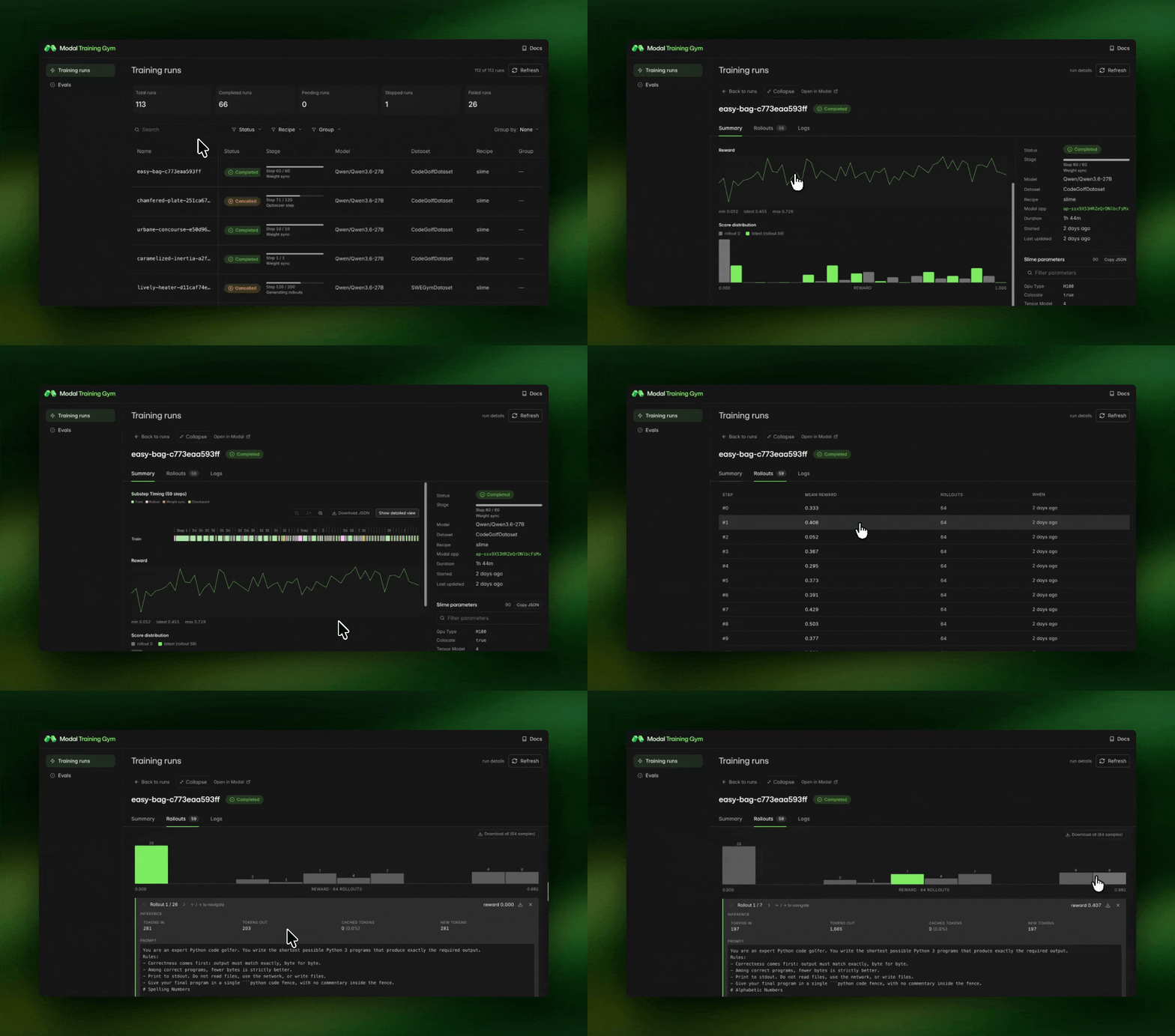
modal setupSet up the dashboard:
training-gym setup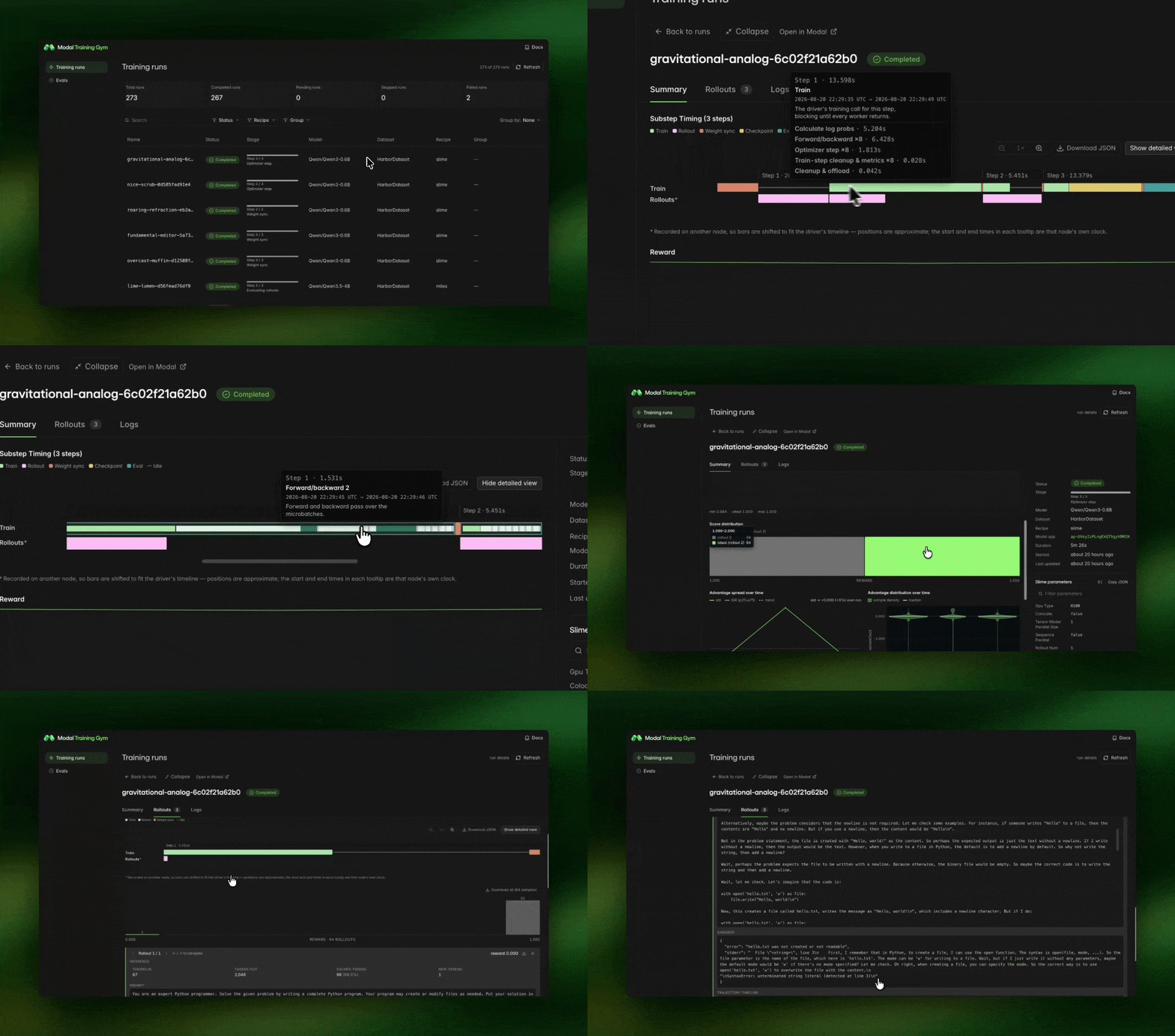
And empower your agents with the Gym’s skill bundle:
training-gym skills installThen, it’s as easy as:
import re
from modal_training_gym import (    HuggingFaceDataset,    Qwen3_5_4B,    Qwen3_5_4B_Recipe,    TrainConfig,)
model = Qwen3_5_4B()

async def gsm8k_rm(args, sample, **kwargs) -> float:    text = model.parse_response(sample.response or "").content    boxed = re.findall(r"\\boxed\{([^}]+)\}", text)    pred = boxed[-1] if boxed else (re.findall(r"-?[\d,]+(?:\.\d+)?", text) or [""])[-1]    try:        return float(float(pred.replace(",", "")) == float(sample.label))    except ValueError:        return 0.0

config = TrainConfig(    model=model,    dataset=HuggingFaceDataset(        hf_repo="skrishna/gsm8k_only_answer",        hf_split="train[:120]",        input_column="text",        output_column="label",        input_format="text",    ),    recipe=Qwen3_5_4B_Recipe(        custom_rm_function=gsm8k_rm,    ),)run = config.launch()print(run.training_run_id)
For a step-by-step walkthrough, see the Getting started tutorial.
Supported models
Section titled “Supported models”| Family | Models |
|---|---|
| DeepSeek | |
| GLM | |
| Gemma | |
| Inkling | |
| Moonlight | |
| Qwen3 | |
| Qwen3.5 | |
| Qwen3.6 | |
| Qwen3.8 |